
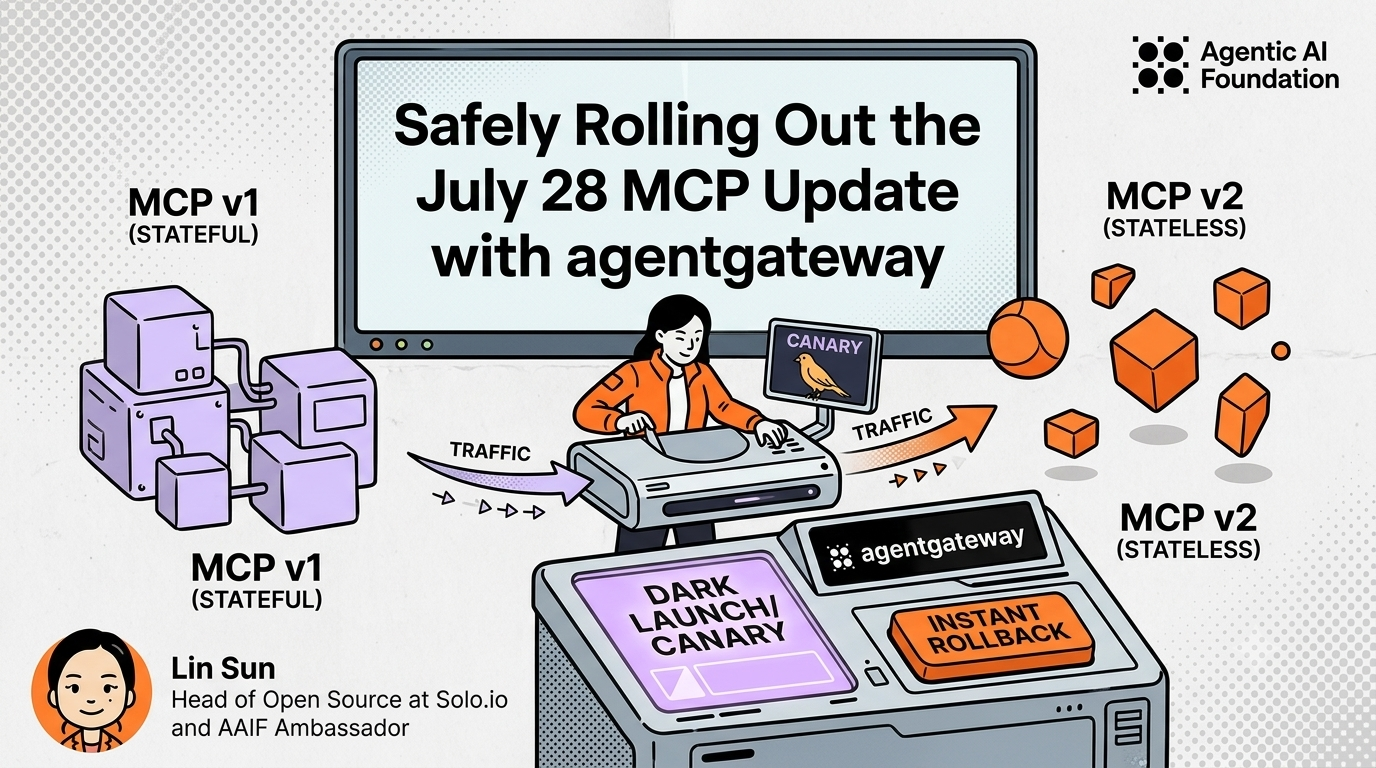

The July 28 MCP specification is the biggest protocol update since the Model Context Protocol launched. It introduces several breaking changes, including a move to stateless communication, that affect every MCP client and server.
Fortunately, adopting the new protocol doesn't have to be an all-at-once migration. In this guide, I'll show how I upgraded two MCP servers using agentgateway, progressively rolling out the new protocol with dark launches, canaries, and instant rollback, while keeping the client endpoint unchanged throughout the process.
Rather than focusing on the protocol changes themselves, this article focuses on something every platform team eventually faces:
How do you safely migrate production MCP servers without coordinating every client upgrade?
What's changed in the July 28 MCP update?
The biggest architectural change is that MCP communication is now designed around stateless requests.
Before July 28, clients established a session through an initialize handshake. That negotiated session became part of every subsequent request, effectively binding requests to the same server instance.
A typical interaction looked like this:
initializenotifications/initializedtools/call
The handshake established both protocol capabilities and a session that future requests depended on.
With the July 28 update, clients no longer need to establish a server-side session through the initialized handshake before invoking tools.
Instead, every request carries its own protocol version, client information, and capabilities inside _meta, allowing any backend instance to process it independently.
Instead of three protocol exchanges, the same tool invocation becomes a single self-contained request:
curl -v http://localhost:3000/mcp \
  -H 'Content-Type: application/json' \
  -H 'Accept: application/json, text/event-stream' \
  -H 'MCP-Protocol-Version: 2026-07-28' \
  -H 'Mcp-Method: tools/call' \
  -H 'Mcp-Name: fast_echo' \
  -d '{"jsonrpc":"2.0","id":1,"method":"tools/call","params":{"name":"fast_echo","arguments":{"message":"hi"},"_meta":{"io.modelcontextprotocol/protocolVersion":"2026-07-28","io.modelcontextprotocol/clientInfo":{"name":"curl","version":"1.0"},"io.modelcontextprotocol/clientCapabilities":{}}}}'
Besides removing session affinity, the July 28 specification introduces several other notable changes:
Mcp-MethodandMcp-Nameheaders are now required for Streamable HTTP, allowing proxies and gateways to route requests without parsing JSON payloads.- A new
server/discovermethod replaces capability negotiation for clients that want server metadata. - All three reserved
_metafields (protocolVersion,clientInfo, andclientCapabilities) must now be supplied together.
For a complete overview, including MCP Apps, Tasks, enterprise authentication, and the other protocol additions, refer to the official MCP announcement.
Migrating clients versus servers
If you control both your MCP clients and servers, upgrading the clients first is often the simplest approach. Updated clients can explicitly advertise the new protocol version while still supporting older servers during the transition.
In practice, however, many organizations don't control every client. Different teams upgrade on different schedules, making coordinated rollouts difficult.
That means the server often needs to support both protocol versions simultaneously.
Fortunately, the migration burden is much smaller than it first appears. All Tier 1 MCP SDKs already support the July 28 protocol.
In this walkthrough I'll use FastMCP v4, where a single server automatically supports both legacy (initialize) and modern (server/discover) clients without application code changes.
For most FastMCP servers, the server migration itself is surprisingly simple:
- upgrade the SDK
- validate your tests
- deploy the new build
The difficult part isn't protocol compatibility.
The difficult part is safely moving production traffic to the new server without changing client endpoints or losing the ability to roll back instantly.
That's exactly where agentgateway comes in.
Why agentgateway makes rollout easy
Protocol migrations rarely fail because of code.
They fail because moving production traffic safely is operationally difficult.
You want to:
- deploy the new server without sending production traffic
- validate both legacy and modern clients
- gradually increase traffic
- roll back immediately if something goes wrong
- avoid asking every client team to update endpoints
agentgateway turns all of those deployment steps into routing decisions instead of application deployments. This separation is the key architectural pattern: application teams upgrade servers, while platform teams control when production traffic moves.
Clients continue using a single MCP endpoint throughout the migration:
http://gateway/mcp
Behind that endpoint, agentgateway can gradually shift traffic between multiple server versions without clients knowing anything changed.
Deploying the new version simply means adding another backend target.
Dark launches, canaries, promotions, and rollbacks become configuration changes instead of redeployments.
That distinction becomes especially valuable when upgrading to FastMCP v4 because the application code itself often doesn't change. The only thing changing is where traffic goes.
Walkthrough: one endpoint, two servers
Rather than discussing rollout strategies abstractly, let's walk through a complete migration. All code and configuration files used in this walkthrough are available in the GitHub repository.
To demonstrate both migration scenarios, the example uses two MCP servers behind a single agentgateway endpoint:
- fast — a stateless tool server whose migration is simply an SDK upgrade.
- session — a stateful server that stores per-session information, illustrating the behavioral changes introduced by the removal of the handshake.
Throughout the walkthrough, all four backend processes remain running. The only thing that changes between stages is the agentgateway configuration, allowing us to safely shift production traffic without redeploying servers or changing client endpoints.
           http://localhost:3000/mcp             <- never changes
                       |
               agentgateway :3000
               /               \
    fast (pure function)     session (keeps state)
   v1 :8001  v2 :8002          v1 :8011  v2 :8012
v1 runs the legacy FastMCP release and only supports the 2025-11-25 protocol. v2 runs FastMCP v4, which supports both the legacy protocol and July 28 specifications. Throughout the walkthrough, all four processes remain running. The only thing that changes is how agentgateway routes traffic between them.
The servers, and what v1 → v2 actually changes
The first server, hello_fast.py, is intentionally simple:
import fastmcp
from fastmcp import FastMCP

mcp = FastMCP("hello (FastMCP)")

@mcp.tool
def echo(message: str, repeat_count: int = 3) -> str:
   """Echo a message a specified number of times."""
   return f"{message * repeat_count} [fastmcp {fastmcp.__version__}]"

mcp.run(transport="http", host="127.0.0.1", port=8001)
For the fast server, migrating to the July 28 protocol requires no application code changes. The same source file runs on both :8001 and :8002; the only difference is the FastMCP version installed in each virtual environment (2.13.2 versus 4.0.0b1).
The version string returned by fastmcp.__version__ lets us see exactly which backend handled each request. Throughout the walkthrough, that makes traffic shifts immediately visible without adding any extra instrumentation.
The second server, hello_session.py, is also the same source file running twice. Unlike fast, however, it maintains request counts per session. This makes it a useful example for demonstrating how removing the initialization handshake changes the behavior of stateful MCP servers during migration.
Running the walkthrough
The setup.sh script starts all four backend servers. The gateway is started separately so that each migration stage is simply a matter of restarting agentgateway with a different configuration file.
Each stage of the walkthrough has its own configuration file to make the traffic changes easy to follow. Agentgateway supports dynamic configuration updates, so routing changes can be applied while the gateway remains running, without redeploying backend servers or changing the client endpoint.
cd example
./build.sh                                  # one-time: create the two virtualenvs
./setup.sh                                  # start the four backend servers
agentgateway -f configs/stage0-baseline.yaml  # then, in another terminal
To advance to the next migration stage, apply the next agentgateway configuration. Nothing else changes:
- the backend servers continue running
- the client endpoint remains unchanged
- only traffic routing behavior is updated
Throughout the walkthrough, clients continue sending requests to:
http://localhost:3000/mcp
The client is simple curl
A 2026-07-28 call is one self-contained request:
curl -s http://localhost:3000/mcp \
 -H 'Content-Type: application/json' \
 -H 'Accept: application/json, text/event-stream' \
 -H 'MCP-Protocol-Version: 2026-07-28' \
 -H 'Mcp-Method: tools/call' \
 -H 'Mcp-Name: fast_echo' \
 -d '{"jsonrpc":"2.0","id":1,"method":"tools/call",
       "params":{"name":"fast_echo","arguments":{"message":"hi "},
               "_meta":{"io.modelcontextprotocol/protocolVersion":"2026-07-28",
                         "io.modelcontextprotocol/clientInfo":{"name":"curl","version":"1.0"},
                         "io.modelcontextprotocol/clientCapabilities":{}}}}'
A 2025-11-25 call is three: handshake, acknowledge, then the actual request, carrying the session id throughout.
SID=$(curl -s -D - -o /dev/null http://localhost:3000/mcp \
 -H 'Content-Type: application/json' \
 -H 'Accept: application/json, text/event-stream' \
 -d '{"jsonrpc":"2.0","id":1,"method":"initialize",
       "params":{"protocolVersion":"2025-11-25","capabilities":{},
               "clientInfo":{"name":"curl","version":"1.0"}}}' \
 | tr -d '\r' | awk 'tolower($1)=="mcp-session-id:" {print $2}')

curl -s http://localhost:3000/mcp \
 -H 'Content-Type: application/json' -H 'Accept: application/json, text/event-stream' \
 -H 'MCP-Protocol-Version: 2025-11-25' -H "Mcp-Session-Id: $SID" \
 -d '{"jsonrpc":"2.0","method":"notifications/initialized","params":{}}'

curl -s http://localhost:3000/mcp \
 -H 'Content-Type: application/json' -H 'Accept: application/json, text/event-stream' \
 -H 'MCP-Protocol-Version: 2025-11-25' -H "Mcp-Session-Id: $SID" \
 -d '{"jsonrpc":"2.0","id":2,"method":"tools/call",
       "params":{"name":"fast_echo","arguments":{"message":"hi "}}}'
The difference is intentionally stark: modern MCP clients make a single stateless request, while legacy clients perform a two-step handshake before invoking the tool. The helper script call.sh wraps these curl commands so the walkthrough can focus on rollout behavior instead of protocol mechanics.
Stage 0 — baseline
This establishes our baseline.
Legacy clients work as expected, including stateful interactions that rely on a session ID. Modern clients fail because the legacy server only understands the session-based protocol and cannot process July 28 requests.
$ ./call.sh legacy
fast_echo, session_visit

$ ./call.sh legacy fast_echo
hi hi hi  [fastmcp 2.13.2]

$ ./call.sh legacy session_visit
count=1 session=97367269 sessions_seen=1 [fastmcp 2.13.2]

$ ./call.sh pinned session_visit 3      # three calls on ONE session
count=1 session=97367269 sessions_seen=1 [fastmcp 2.13.2]
count=2 session=97367269 sessions_seen=1 [fastmcp 2.13.2]
count=3 session=97367269 sessions_seen=1 [fastmcp 2.13.2]

$ ./call.sh modern
ERROR -32600: Bad Request: Missing session ID
Note the count reaching 3 for the pinned session_visit.
Before beginning the rollout, there are two gateway settings worth pinning:
statefulMode: stateful   # upstreams still require the 2025-11-25 handshake
prefixMode: always       # tool names must not shift mid-migration
prefixMode defaults to conditional, which only prefixes when a backend has more than one target — so tool names would silently change if a stage ever left a backend with one. always makes them constant for the entire migration.
Stage 1 — dark launch
The new fast build is deployed and reachable, at 0% of production traffic. Opting in is one extra header on the same endpoint:
$ agentgateway -f configs/stage1-dark-launch.yaml

$ ./call.sh legacy fast_echo                                     # production, untouched
hi hi hi  [fastmcp 2.13.2]

$ HDR='x-mcp-canary: on' ./call.sh legacy fast_echo
hi hi hi  [fastmcp 4.0.0b1]

$ HDR='x-mcp-canary: on' ./call.sh modern fast_echo
hi hi hi  [fastmcp 4.0.0b1]
This is the first milestone of the rollout. Without affecting production traffic, we've verified that the upgraded server successfully handles both legacy and modern clients. Once that confidence is established, we're ready to begin shifting production traffic.
Stages 2–3 — canary fast
The next step is to gradually introduce production traffic to the upgraded fast server.
In theory, a 10% traffic weight should send roughly 10% of requests to the new backend. However, legacy MCP sessions introduce an important migration consideration: session affinity. This is exactly the type of compatibility issue that disappears once clients and servers have fully migrated to the stateless request model. If follow-up requests are routed to a different backend, that backend may not recognize the existing session. A production MCP client would automatically retry, but our simple curl-based test client intentionally does not, thus the "Session not found" error sometimes.
$ agentgateway -f configs/stage2-canary-fast-10.yaml
$ for i in $(seq 1 100); do ./call.sh legacy fast_echo; done | sort | uniq -c
   20 ERROR -32600: Session not found
   80 hi hi hi  [fastmcp 2.13.2]
More importantly, notice what didn't change.
The session backend was never part of this rollout, and it continues serving requests successfully:
for i in $(seq 1 100); do ./call.sh legacy session_visit; done | sort | uniq -c | awk '$1 == 1 {count++} END {print count}'A result of 100 successful calls confirms that the canary rollout for fast had no impact on the stateful server.
Stage 4 — promote fast
At this point, production traffic has fully moved to the upgraded fast server. Because clients have continued using the same endpoint throughout the rollout, the promotion is invisible to them.
The session server can then be migrated using exactly the same sequence:
- Deploy the upgraded server.
- Dark launch.
- Canary.
- Promote.
Each server becomes an independent rollout, significantly reducing the risk compared to migrating the entire fleet simultaneously.
The key lesson from this migration is that protocol upgrades and traffic migrations are separate concerns. MCP servers can evolve independently while the gateway controls when users experience the change.
Final Thoughts
The July 28 MCP update fundamentally changes how MCP servers can scale by reducing the protocol-level dependency on session affinity and making requests more self-contained. While these protocol changes introduce compatibility considerations, they do not have to become operational challenges.
Modern MCP SDKs handle much of the protocol transition. The remaining challenge is safely introducing upgraded servers into production. By separating deployment from traffic management, agentgateway lets teams dark launch new servers, validate legacy and modern clients, progressively shift traffic, and roll back instantly—all while keeping a single endpoint for every client.
The migration strategy shown here extends well beyond the July 28 update. Whether you're upgrading SDKs, introducing new MCP capabilities, or evolving your agent platform, progressive rollout techniques such as dark launches and canaries reduce operational risk without slowing down delivery.
As MCP adoption continues to grow in production environments, treating protocol upgrades as traffic management problems rather than deployment problems will become an increasingly valuable operational pattern.
Share
Author