

Welcome to Glass Town: building a software factory with a paper trail
If you’re on Twitter, it feels like everyone is building a software factory. I’d wager that some of it is token flexing (aka “look how much money I spent on LLMs”), but some of it feels like a preview of how we’ll build software. As Steve Yegge predicts, “In the very near future, devs will become shepherds, tending flocks of agents which do ground-level work.”
In January 2026, Steve actually wrote a blog post that was equal parts unhinged and brilliant about Gas Town, his own software factory. He describes it as “an industrialized coding factory manned by superintelligent robot chimps,” but says that right now, it’s like a late-1800s factory that can disembowel you if you’re not careful. So, with all the factory chatter and my FOMO eating away at me, I obviously had to build one. And, of course, put it in a Sprite.
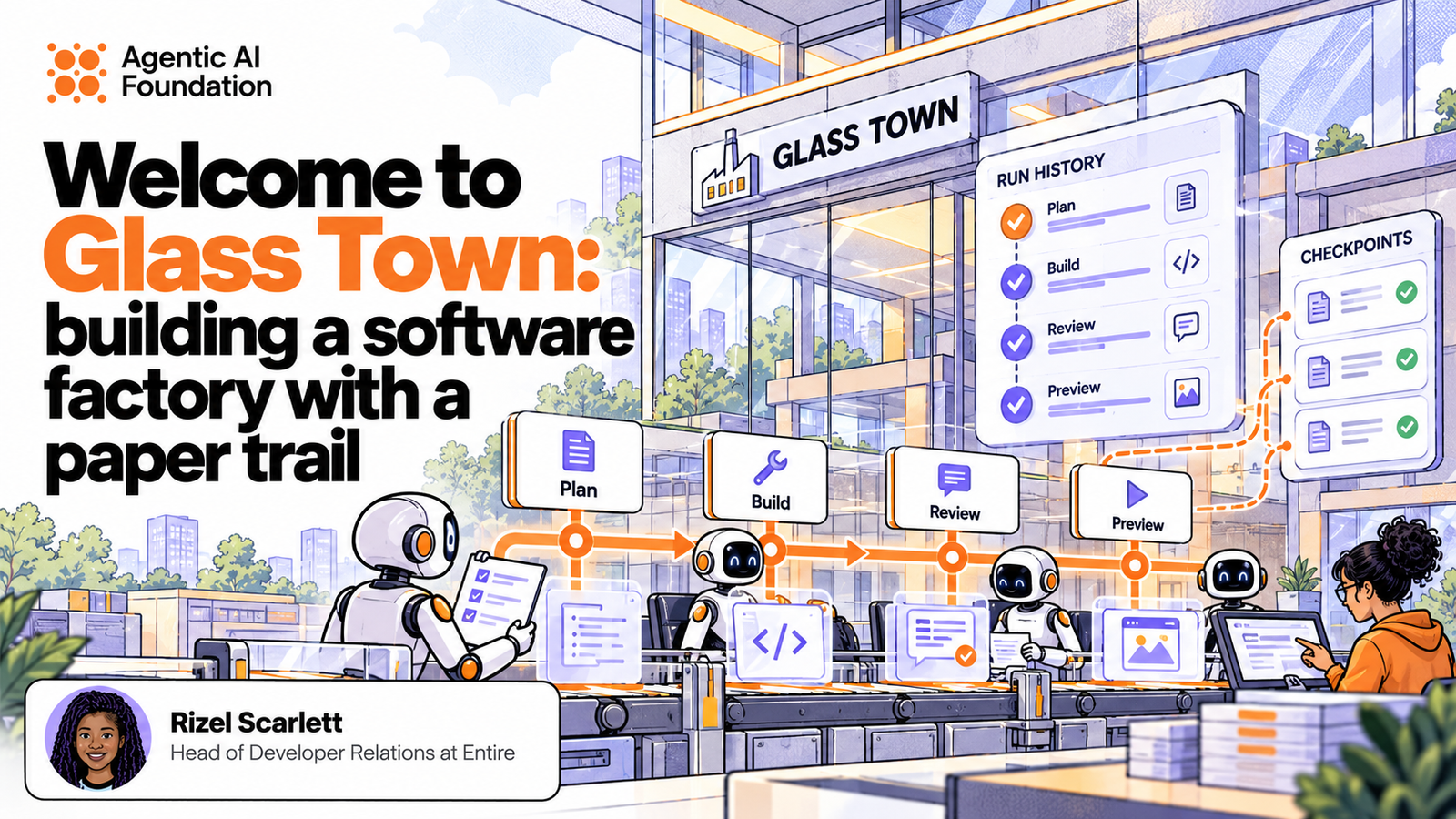
Gas Town is a dark factory, meaning it’s a “system in which coding agents are set up to work autonomously without humans watching.” Steve Yegge’s words. And in my natural tendency to put my own spin on things, I built a transparent, well-lit factory where my coding agents work on their own, but I can still see what’s going on (even after the work is done). Hence, the name Glass Town.
And I hate to admit it, but building Glass Town was harder than I thought.
The biggest lesson I learned was that building a factory, even in the age of agents, takes careful design and planning for two reasons:
- While agents have plenty of examples to draw from when building a CRUD app or a React frontend, software factories are newer territory. I couldn’t blindly one-shot a factory, or even ten-shot it. It took me hours to get it right.
- Software factories get expensive when you’re experimenting, and failed runs still eat through your tokens. I kept hitting usage limits before the work was finished, so figuring out how to bring those costs down became part of building the factory.
Let’s talk about how I designed and tested the software factory from end-to-end, and whether factories are actually useful from my perspective.
How I work
Before we look at the design, you have to understand who I am and how I work. I’m not your average engineer. I don’t mean that in a cocky way. I’m in Developer Relations, which some may argue is a marketing job in a trench coat, but I take the technical part of my job very seriously. Therefore, I build a lot of overambitious demos.
To set myself up for success, I make a sacrifice to the demo gods, and I make sure:
- The demo is easy to spin up. I’m often finishing a coding ticket right before I go on stage. Rushing to switch environments and install the necessary dependencies 5 minutes before my demo is anxiety-inducing, so I try to avoid that.
- I understand how the demo was built, so that other people can reproduce it. Now that we’re opting to use coding agents over trad(itional) coding, they’ve sped up my build time, but masked my knowledge. I often don’t know what went on under the hood after I pressed send on a few prompts. But I need to be able to teach it to people, so they can run it themselves.
I have to build with the expectation that I’m probably going to explain this to a group of people, and I’m probably going to run it more than once. Maybe three times next month and another two times the month after.
So, how do I maintain that consistency and make my job easier? One possible answer: by giving my factory a persistent home inside a Sprite.
Home is where the Sprite is
Running an agent on your device is convenient, but you run into limitations when you want your agent to:
- Work for hours without keeping your laptop awake.
- Execute code without accessing your personal files and credentials.
- Run several instances without slowing down your computer or consuming excessive resources.
- Utilize more system resources than your machine actually possesses.
- Share agent workflows and environments with remote teammates.
Developers work around these limitations in a few ways, each with its own tradeoffs:
- Local containers: Give agents separate environments with controlled access to your files. They still share your computer’s resources and depend on it staying awake.
- Managed cloud sandboxes: Move execution off your computer and handle the underlying infrastructure. You work within the provider’s runtime limits and storage policies. Some managed environments also place limits on how long an individual session can run.
- Cloud virtual machines: Give agents their own remote computers with persistent storage and control over the environment. You take on more responsibility for configuring access, maintaining the machine, and deciding when it runs or shuts down.
For Glass Town, I used Sprites, which gives your agent a separate remote computer that keeps its files and tools between sessions and automatically pauses when it’s idle. This means when I return a month later, my demo, dependencies, and installed programs are still there. And because compute billing pauses while the Sprite is idle, I’m not paying for compute while it sits around doing nothing (IYKYK).
Sidenote: Be aware that Sprites have their own tradeoffs, such as wake-up delays, programs needing to restart after a cold pause, and old packages and configurations sticking around until you update them. Fly.io’s design post.
“Your wish is my command” - Sprites MCP Server
That should be the slogan for MCP servers. It feels like having a genie. Setting up a Sprite felt a little intimidating, so I reached for the Sprites MCP server. I know MCP servers are controversial.
There are legitimate complaints about stuffing tool descriptions into context, adding another abstraction layer, and giving agents twelve specialized tools for things they could probably figure out with a shell.
I used one anyway. I had the option of combing through docs and running commands, but instead, all I had to do was tell my agent:
should we use sprite mcp server for thisMy agent confirmed with a yes. Then, because I am committed to doing the least amount of setup physically possible, I asked:
are u able to do the sprite mcp set up yourselfWith the Sprites MCP server, my agent could create the Sprite, install what it needed, run commands, start the app, inspect failures, and create snapshots I could roll back to when one of my experiments inevitably made everything worse.
Could I have done all of that myself with the CLI and docs? Absolutely.
Did I want to? Not really.
Meet the Workers
Enough about Sprites. Here’s who works in Glass Town:
| Worker | Why I hired them | What they deliver |
|---|---|---|
| Planner | So the factory knows what to build. | Implementation steps and a checklist for the project’s definition of done, based on the project and agreed brief. |
| Builder | At some point, somebody has to build the thing. | Code and the results of running checks. |
| Tutorial writer | Because I need more than prompts to enable developers. | A tutorial.md explaining how the project works and how to reproduce it. |
| Reviewer | Sometimes models get sloppy and lazy, so we have to bring in another model to critique the work. | An approval or a report of problems that need fixing after reviewing the code, test evidence, and tutorial. |
| Previewer | The app is built on another machine, aka a Sprite, but I want to see the results. | A running app inside the Sprite, opened in Google Chrome on my computer through a local tunnel. |
Saving tokens
The worst part of this experiment was how much money I naively spent. I told my agent to kick off the factory and build whatever I wanted. The factory kept pausing, and I didn’t know why, so I just kept running it again. Turns out, I’d hit my Codex usage limit. By the time I reran the factory, my account had automatically topped up, so I was back to spending money. Facepalm. Once I realized what was happening, I took matters into my own hands.
My Sprite was using Codex to run these factory workers, so I made sure every coding role used a cheaper model, gpt-5.6-luna, with low reasoning. Additionally, I disabled automatic retries and gave each worker five minutes. If something failed or needed fixing, the factory stopped and let me decide whether to retry.
And when I didn’t need an LLM, I didn’t use one. For example, I don’t need an LLM to open a preview of the app for me. My preview worker runs a script. Remember scripts before the agentic era? Hello, old friend.
Saving sessions
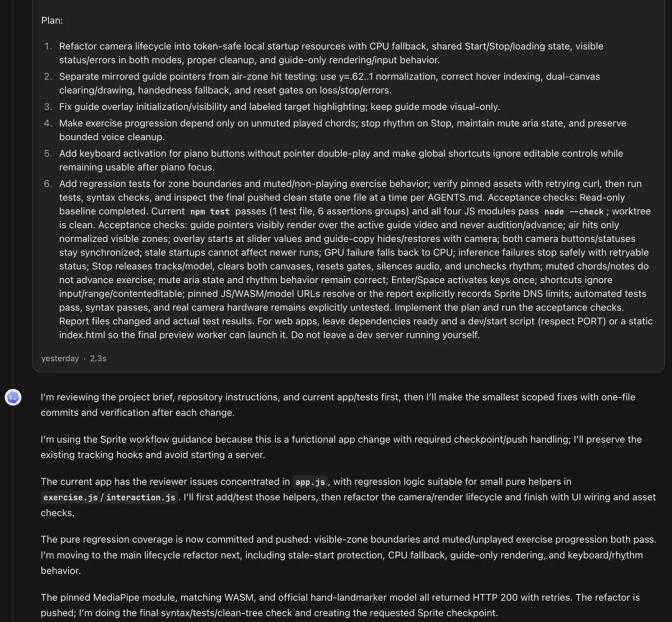
Remember how I wanted to look back and learn how something got built? Although I get a tutorial at the end, I still wanted to understand why my agent made certain decisions. So I had it leave a paper trail using the open-source Entire CLI.
The Entire CLI records the coding session, including my prompts, the agent’s responses, and its tool calls. When the agent makes a Git commit, the CLI creates a checkpoint that links the session to that code change. I can look at a commit and see the work that led to it, rather than just a diff and a suspiciously confident commit message.
But that requires the agent to actually make commits. So I put instructions in each project’s AGENTS.md, the file that tells coding agents how to work in the repository:
After changing one file, commit and push that change before editing another file.
Preserve Entire’s settings and hooks.
This way, I’m delegating the job of remembering to commit to my agent. Some people don’t like this method of per-file commits because they don’t see the vision. Yes, it’s weird, but I’m optimizing for traceability. My goal is to trace individual changes to one checkpoint rather than combing through a session filled with a ton of prompts.
This means I don’t have to remind my agent to commit or manually do it myself, and my session history gets linked to the changes throughout the build. Agent session history.
Was it worth it?
I prompted my factory to build two projects in parallel. One was Airkeys, a computer vision instrument that lets me move my fingers to play music. The other was Girl Dinner, an app intended to use Jev, a System One model, to help me pick a restaurant and save my partner and me from a hangry divorce.
It worked! I built my transparent factory. I’m officially a dev shepherding my flock of agents to do ground-level work.
Was it worth it? For the learning experience and the fun, yes. Now, I have a repeatable workflow and a factory that I can flex on the internet.
Share
Author